
 Click main image to view in full screen. Unlock all 10 preview images:
Service Portfolio Management Toolkit (ISO/IEC 20000, ITIL) – Excel XLSX
Excel (XLSX)


BENEFITS OF THIS DOWNLOADABLE EXCEL DOCUMENT
- Audit-ready governance -- End-to-end traceability (evidence, approvals, timestamps) from idea to retirement keeps compliance effortless.
- Decide faster, with confidence -- Weighted scoring and a live dashboard turn gut feel into defendable, data-driven portfolio calls in minutes.
- Save hours every month -- One workbook replaces scattered trackers and slide decks; built-in KPI packs and roadmaps keep leadership aligned.
ITIL EXCEL DESCRIPTION
Service Portfolio Management Toolbox (Excel)
Run your entire service portfolio—from idea to retirement—in one fast, audit-ready workbook. The SPM Toolbox (v1) turns spreadsheets into a real operating system: capture every service, score it, decide, allocate budget/capacity, track KPIs and value, log exceptions, and retire cleanly—then surface everything on a Portfolio Dashboard.
Why teams love it
• Single source of truth: One register for every service with owner, status, tier, dependencies, risk flags, and live links to decisions and evidence.
• Decisions you can defend: Weighted 0–5 scoring with custom criteria and built-in FIN/ARCH/Risk endorsements.
• Management-ready in minutes: Auto-structured KPI pack and roadmap views—no messy rebuilding every month.
• Audit-proof traceability: Every decision, change reference, timestamp, and link captured end-to-end.
• Built for cadence: Daily/weekly/monthly/quarterly checklists baked in so nothing slips.
What's inside (ready-to-use tabs)
T02 Criteria – Define your scoring model (weights, scales, owners, data sources).
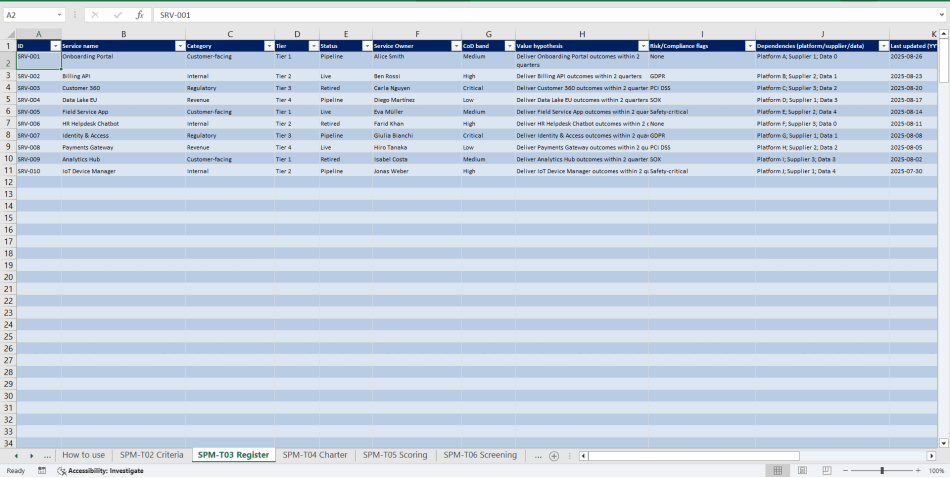
T03 Register – Master list of services (ID, owner, tier, status, value hypothesis, dependencies, risk flags, last updated) with links to T05/T12/T14/T19/T20.
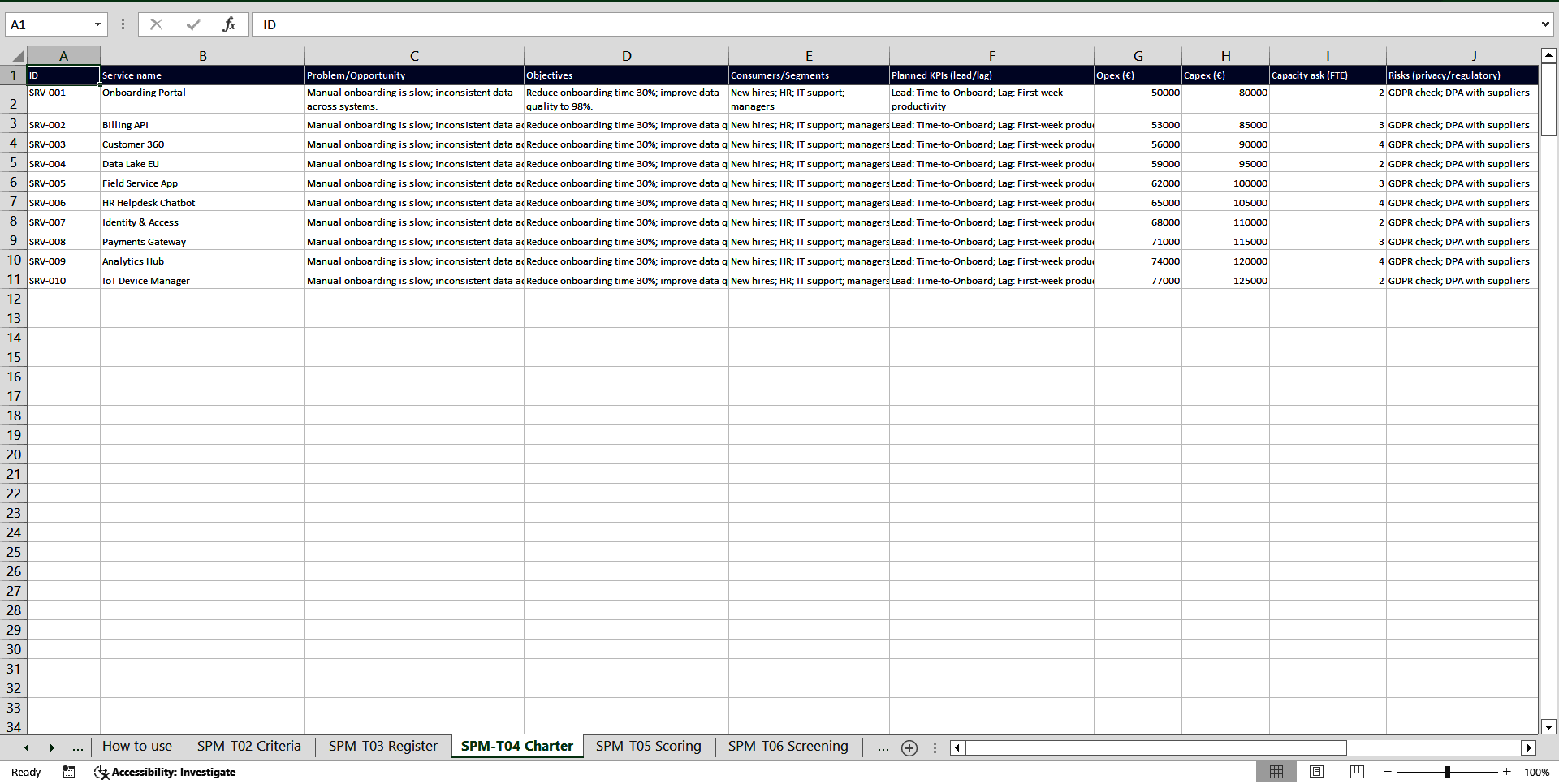
T04 Charter – One-page service brief (problem/opportunity, KPIs, cost/capacity ask, architecture fit, risks, endorsements).
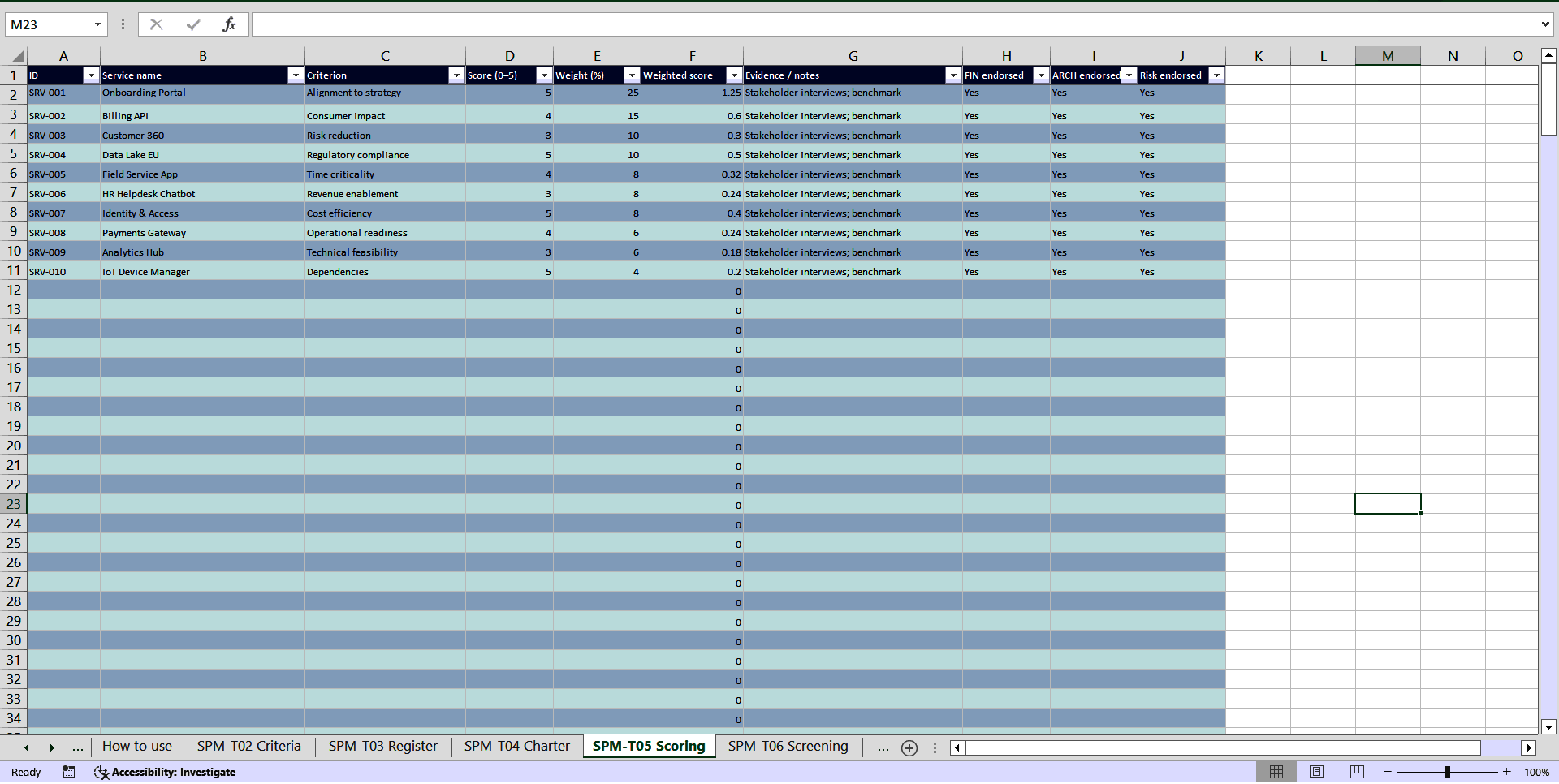
T05 Scoring – Weighted scoring per criterion with evidence notes + FIN/ARCH/Risk endorsements.
T06 Screening – Go/No-Go log with rationale, due dates, SLA, and next steps.
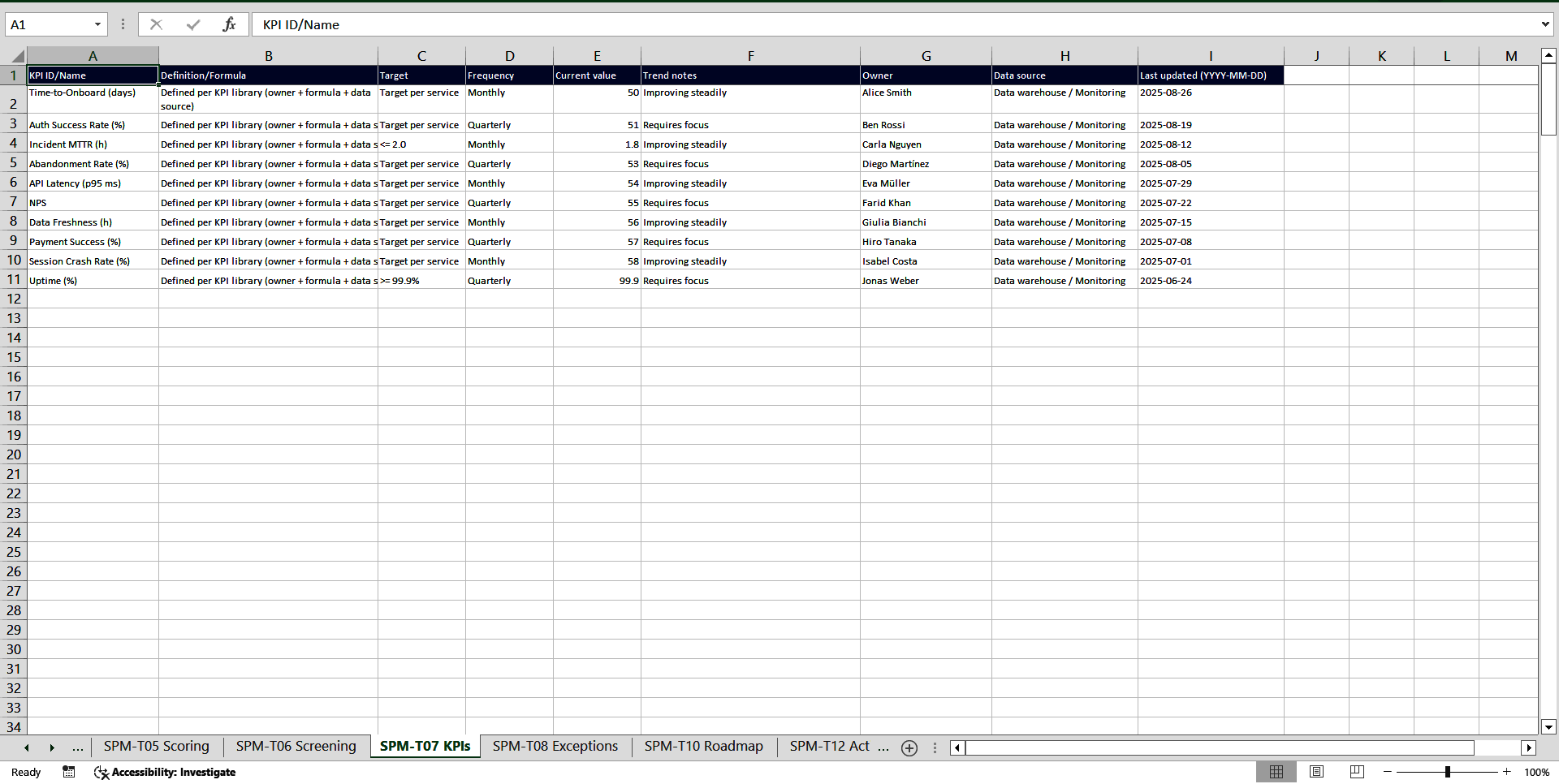
T07 KPIs – KPI catalogue (definition/formula, targets, frequency, owner, data lineage).
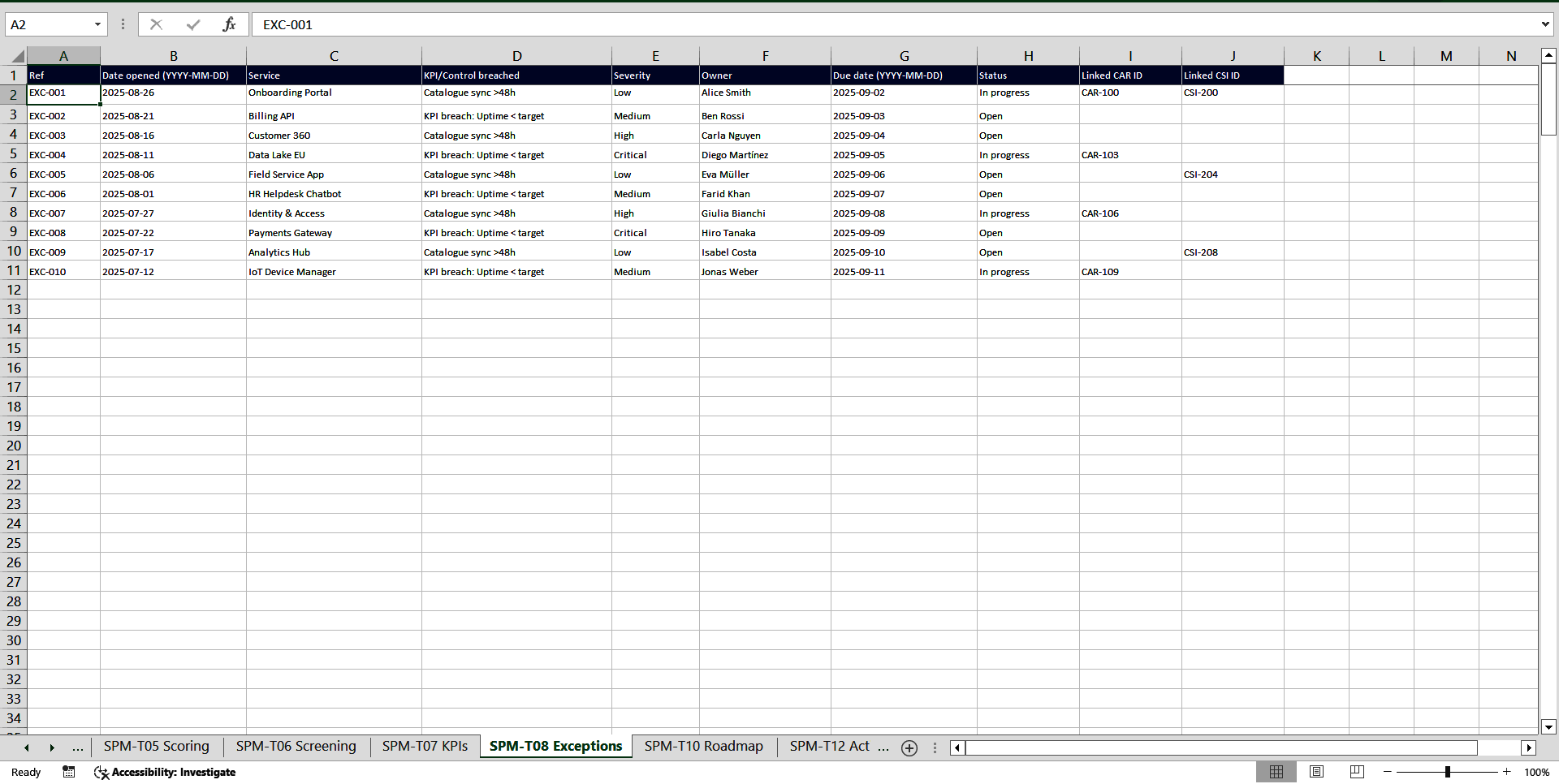
T08 Exceptions – Breaches and non-conformities, linked to CAR/CSI.
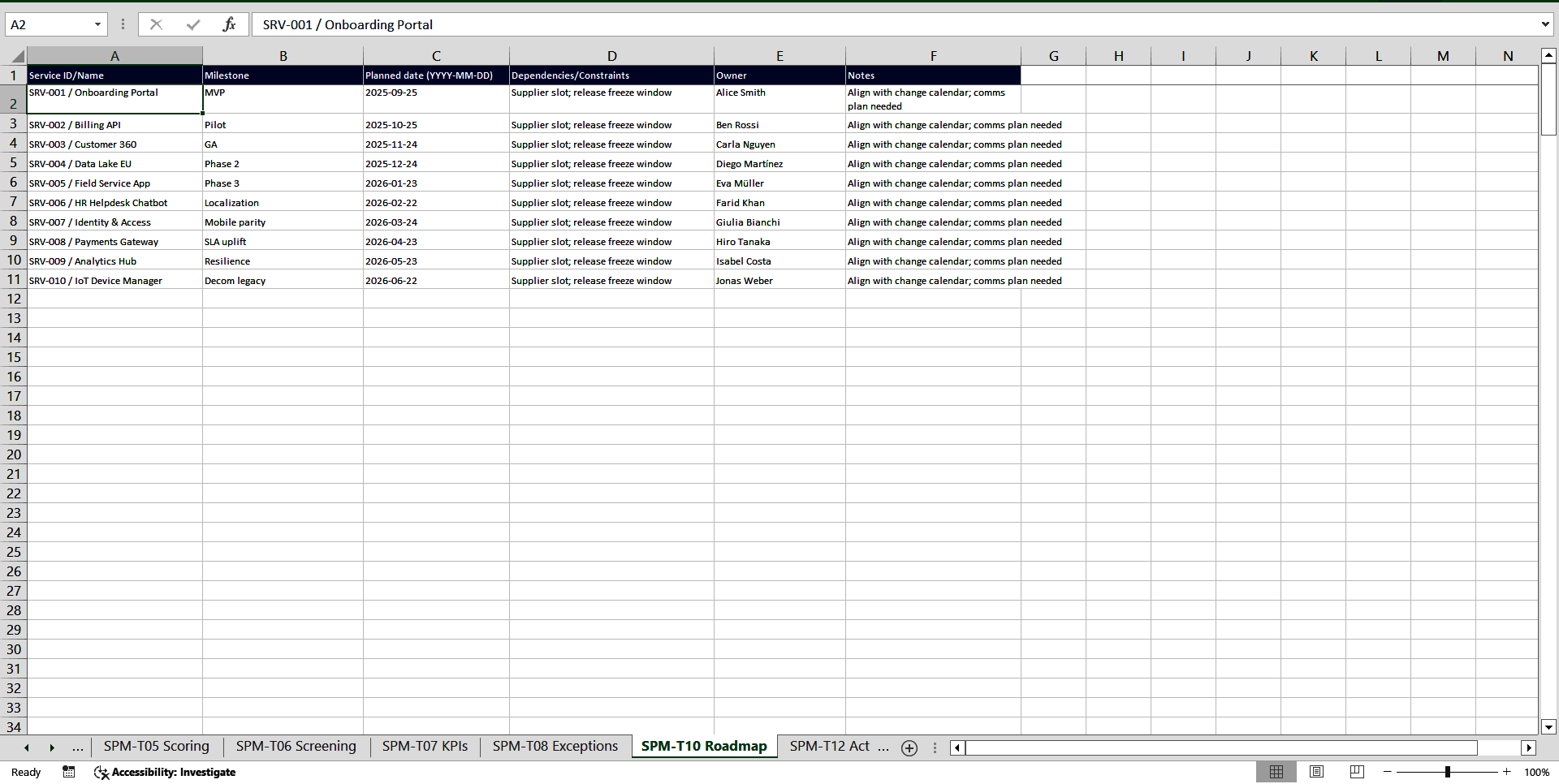
T10 Roadmap – Milestones, dependencies, owners.
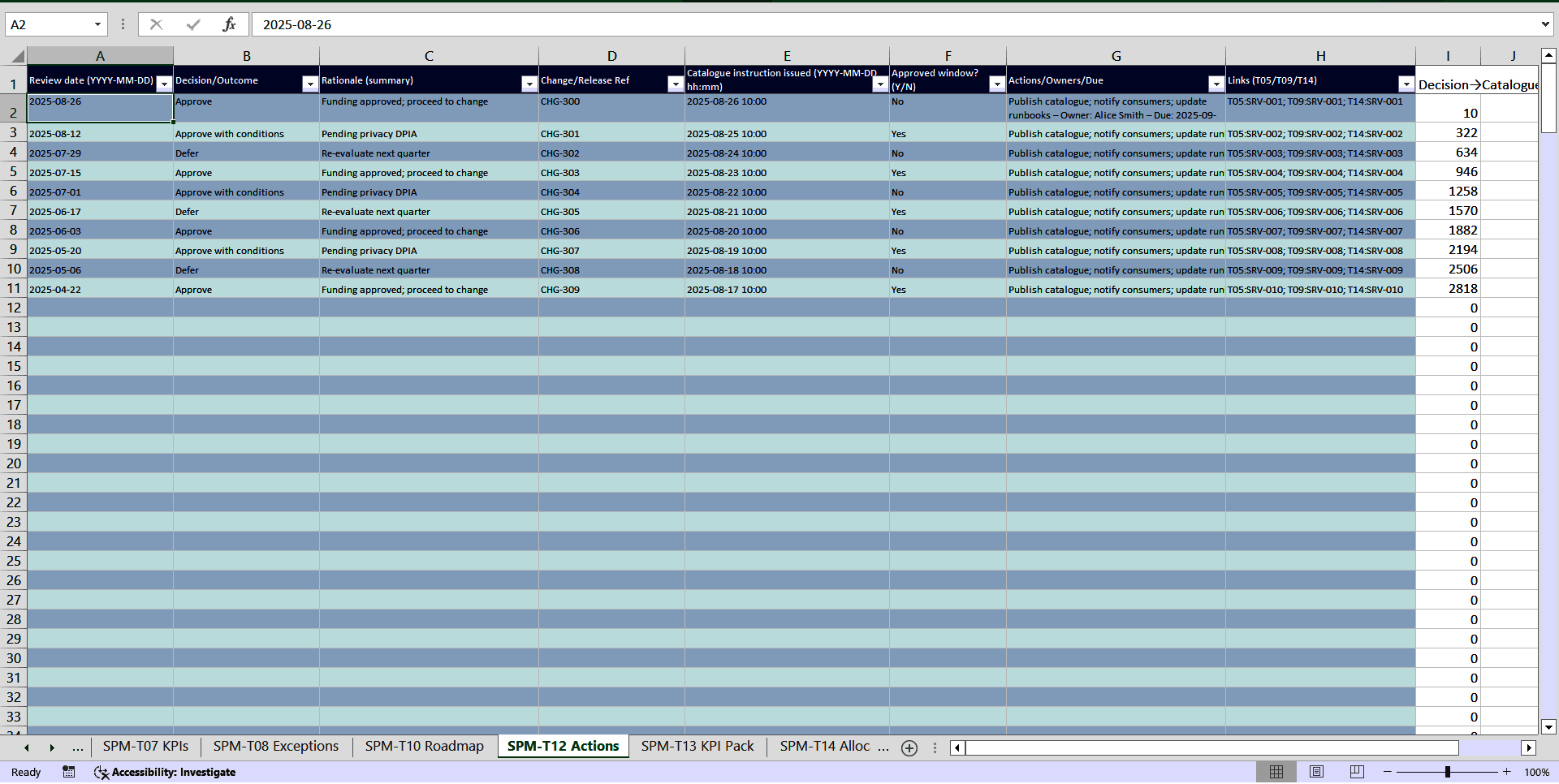
T12 Actions – Review minutes + Change/Release ref, catalogue instruction timestamp, and Decision→Catalogue (hours) to enforce your ≤48h SLA.
T13 KPI Pack – Ready-made reporting pack (targets, thresholds/breach rules, commentary, reaction plans).
T14 Allocation – Budget & capacity decisions (before/after, approval refs, PMO links).
T15 CAR – Corrective Action Requests with effectiveness verification.
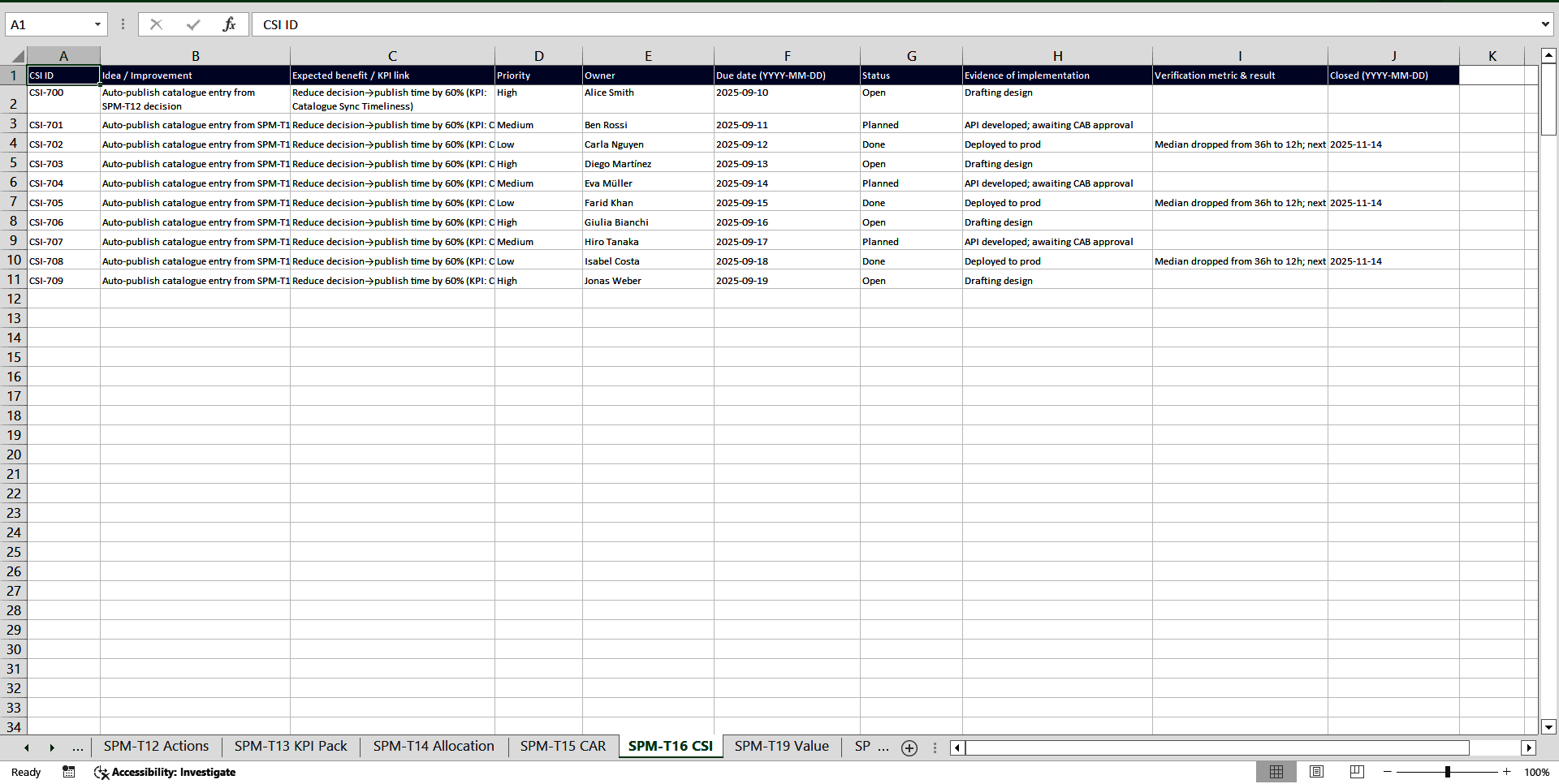
T16 CSI – Continuous improvement log with expected benefits and verification metrics.
T19 Value – Benefit realization (baseline, targets, actuals, variance, follow-ups).
T20 Retire-Comms – Retirement checklist (consumer comms, supplier EoL, data disposition, catalogue confirmation, residual risk).
Dashboard – Portfolio snapshot for leadership.
_lists – Controlled vocabularies (Status, Decision, Severity, Tier, Category, etc.) to keep data clean.
Introduction & How to use – Clear operating guide, governance rules, and review cadence.
Designed for
Heads of Service/Portfolio, PMO, ITSM & Ops leaders, platform owners, and product-minded teams who need clarity, control, and compliance without heavy tooling.
Works how you work
• 100% Excel (.xlsx).
• No macros required; optional BuildSPMDashboard VBA module supported if you want one-click dashboard build (desktop Excel).
The payoff
• Prioritize what matters, with evidence.
• Keep leadership aligned with crisp, consistent reporting.
• Pass audits with confidence thanks to full traceability.
• Reclaim hours every week—spend time steering the portfolio, not wrangling slides.
Got a question about the product? Email us at support@flevy.com or ask the author directly by using the "Ask the Author a Question" form. If you cannot view the preview above this document description, go here to view the large preview instead.
TOPIC FAQ
What are the essential components of a service portfolio management system?
A practical SPM system centralizes a service register, scoring model, KPI catalogue, roadmap, allocation records, exception/CAR/CSI logs, and retirement checklists. The Service Portfolio Management Toolbox implements these across dedicated tabs such as T03 Register, T05 Scoring, T07 KPIs, T10 Roadmap, T14 Allocation, and T20 Retire‑Comms.How does a weighted scoring model typically work for service decisions?
Weighted scoring defines criteria, assigns weights and scales, and scores services to produce comparable totals; evidence notes and endorsements (e.g., finance, architecture, risk) support defensible decisions. The Toolbox captures criterion weights, owner, data sources, and produces weighted 0–5 scores.How can I ensure audit-proof traceability for portfolio decisions?
Capture decision rationale, change references, timestamps, and links to supporting evidence for each record so reviewers can follow the end-to-end chain. The Service Portfolio Management Toolbox records decisions, change refs, timestamps, and links to evidence for full traceability.What should I prioritize when choosing an SPM workbook or template for my team?
Prioritize single-source-of-truth registers, configurable scoring, automated KPI reporting, audit traceability, and cadence checklists; also check file format and macro requirements. Flevy’s Service Portfolio Management Toolbox provides these elements plus a ready-made T13 KPI Pack.Which roles should drive SPM activities and what specific tasks will they perform?
Heads of Service/Portfolio should maintain the master register and ownership; PMO should manage roadmap milestones and dependencies; ITSM/ops leads should log exceptions and CARs; platform owners should track benefit realization and KPI targets in the KPI Pack.What steps belong in a service retirement checklist after consolidation?
A retirement checklist should include consumer communications, supplier end-of-life coordination, data disposition, catalogue confirmation, and residual risk assessment. The Toolbox captures these elements in the T20 Retire‑Comms tab.How do Excel-based SPM templates deliver time savings over ad-hoc reports?
Pre-built registers, scoring logic, and an auto-structured KPI pack reduce repetitive report rebuilding and status consolidation, helping teams reclaim hours each week; the Toolbox’s T13 KPI Pack supports ready-made reporting.Do Excel SPM workbooks require macros or special software on corporate machines?
Many SPM workbooks are plain XLSX; the Service Portfolio Management Toolbox is 100% Excel (.xlsx) with no macros required, and offers an optional BuildSPMDashboard VBA module for one-click dashboard builds on desktop Excel.Source: Best Practices in ITIL, ISO 20K Excel: Service Portfolio Management Toolkit (ISO/IEC 20000, ITIL) Excel (XLSX) Spreadsheet, ITSM Consulting




























